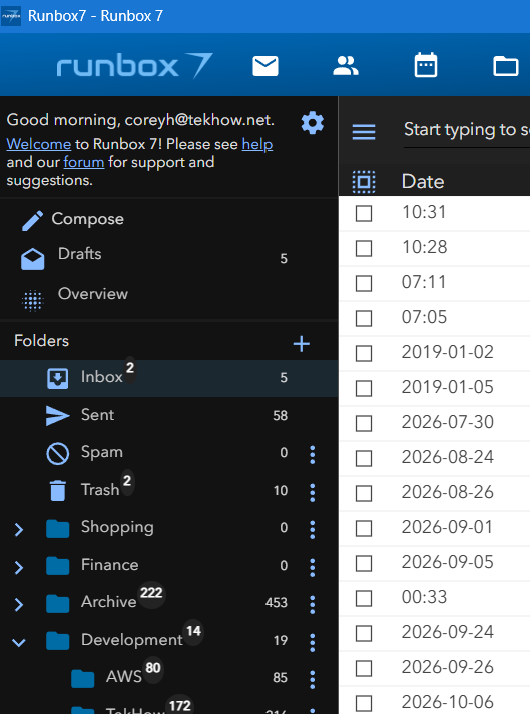
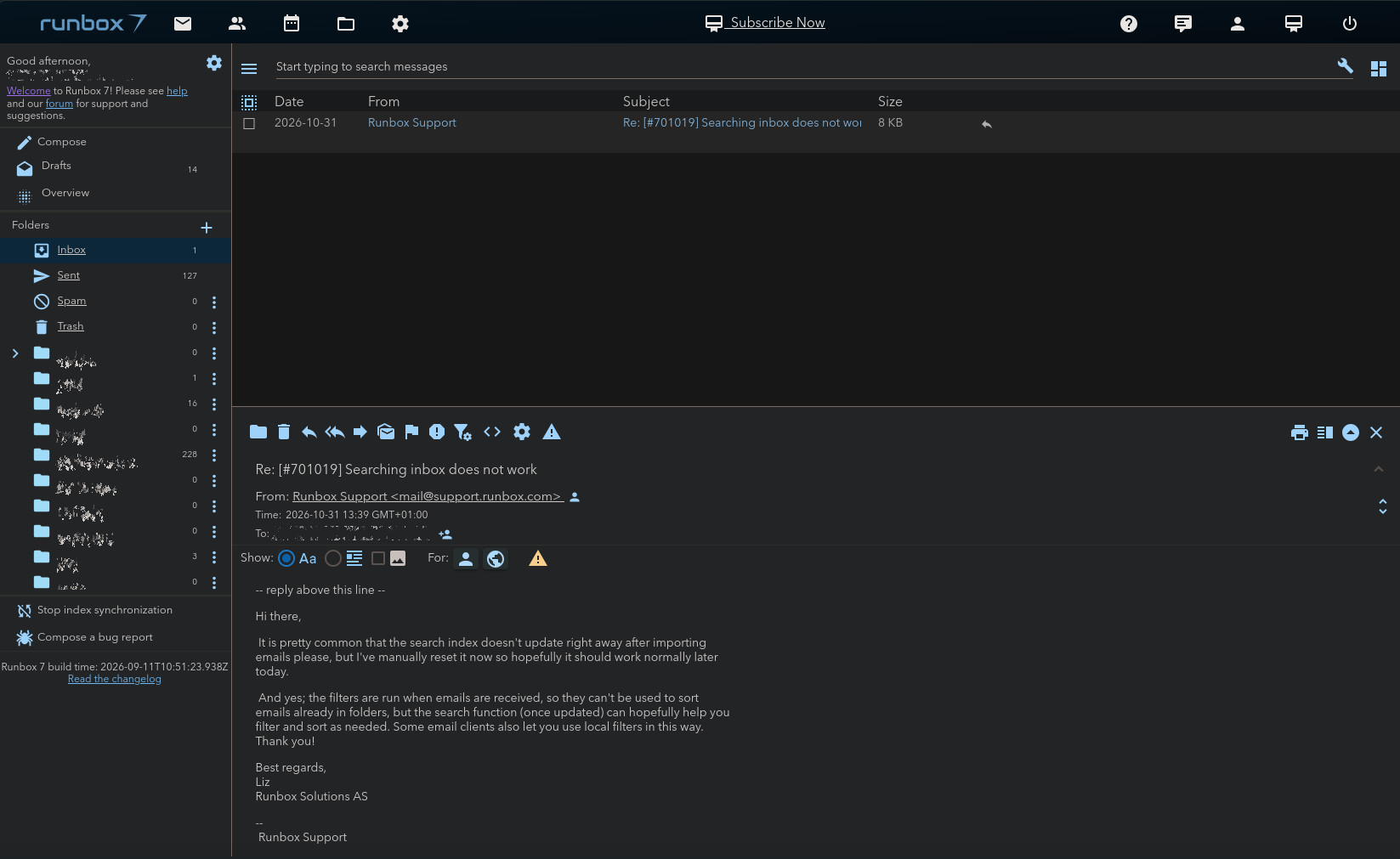
I created an account just to comment on this very topic. A dark theme is of the uttermost importance to me! It is #1 priority!
Check out dark-themes such as one-dark, gruvbox and such.
A dark theme is mandatory today (dark theme on Windows 10, my smartphone under Android).
+1 I do like the current theme, but a dark theme would be nice.
Theming is something that we will look at in the future. At the moment we are still working on features and trying to make the interface more consistent across browsers so that everyone gets a good experience. We won’t forget about theming because it’s something that I’m quite keen on myself as a topic 
I agree with the others, a dark theme would be wonderful. By the way, I love your email system. I replaced my Gmail with Runbox. 
Agree!
Dark theme. I need sunglasses to look at the browser .
Thanks
max
I like the current theme but would also appreciate a dark theme at some point too.
Hi !
I wanted to share that for some (mysterious) reason, my chrome on chromebook turned the white background to black in both login and webmail…except the email list itself that still white: the folder tree on left & email previous on right are both black background.
Well, I have to say it do the job very well, I would say it does not need anymore tuning 
now I have to find out why Chrome did this 
edit: I found the root cause: I had the flag chrome://flags/#enable-force-dark enabled in chrome (I did it on an other device a while ago, it seems the chromebook somewhat sync this settings)
Dear Runbox team…would it be hard to make the email list the same way as other menus so this chrome flag would turn it dark too ? it may be a kind work around while waiting for proper implementation of themes.
+1 dark theme please!
I use dark for everything - Runbox7 is one of the few things I’m still using that’s not dark yet
Just wanted to add my +1 to dark theme. However, I see it has been years since it was first talked about (first post is from october, 2018) so I wonder whether we should expect it to come to Runbox 7, ever.
Anyway, I noticed an increase in the use of “dark modes” in several apps, webs and so on during the last few years, so I hope it will still come at some point.
I hope we get a dark theme in 2025.
Bump to keep this thread alive and a Dark Theme as an option.
I really love the speed of Runbox 7, the fact that you can scroll until the dawn of time, and many other things - and look forward to the dark mode / dark theme option that probably is coming down the line 
I mostly use Thunderbird etc. of course (unlimited app passwords!), but I often find myself checking sync, disk space, aliases and more - which often results in being “flash banged” as the kids say.
Have a good week!
In this community forum too, which is a feature - but probably not implemented?
(There is a setting in our profiles)
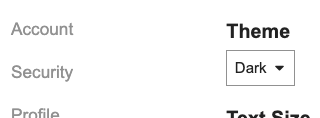
@sparekonto You should find the dark theme in the forum works now. Sorry about that. Thank you.
Oh great , works good now. Tx!
New user here testing out Runbox. When is this slated for delivery? I mean on the web mail (and hopefully also configuration pages). Here on the Discourse there is of course dark mode. I hope soon, it is one of my highly desired features for using the email service here. Thanks for any info, or pointing to the upcoming roadmap.
in brave and chrome you can enable force dark mode, but it is browser wide
brave://flags or chrome:flags then search for dark to enable
Hello fellow users,
I went through the odyssey of testing a dozen or so “dark-mode” addons, to find something that would help using Runbox without the chance of becoming blind.
Fortunately, I found midnight lizzard, that seems to run out of the box.
Beware that if you have a ton of Tabs open, and set it to be dafault-on, it will slow down firefox!
The way I found was to set the default style to “Original (none)” in global settings, and then selectively whitelist Runbox.
That way the browser will not bog down.
Here’s a screenshot of how it looks:
It also works on the old webmail interface, bus it does not solve the overlapping elements issue in that one.
This addon has been tested on Firefox, but is available for other browasers:
https://midnight-lizard.org/home
Hope this helps, enjoy, regards, K.H.
Just to be clear about the settings I used in midnight lizard:
-Open addon on any page and select “original (none)” in the “Current colour scheme” drop-down, then apply, then set as default.
-Go to common (Laft pane) and set processing mode to “Simplified” (Minimize sys load). then apply, then set as default. If available “SAVE”.
-Go to a tab with Runbox open and select a colour scheme of your choice (I used Dimmen Dust), then hit apply. DO NOT HIT “SET AS DEFAULT” AS THIS WILL APPLY THE THEME TO ALL OPEN TABS AND SLOW DOWN YOUR BROWSER IF MANY TABS ARE OPEN!!!
Cheers, K.H.